
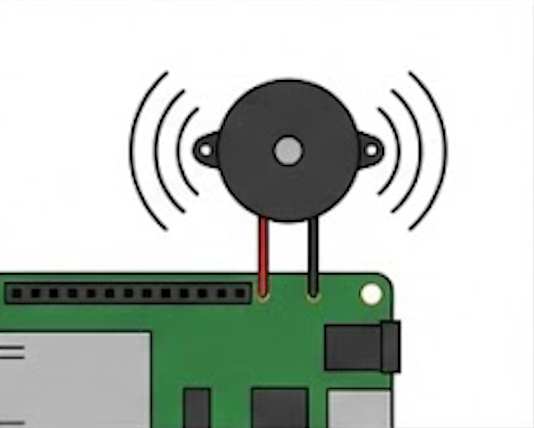
パッシブブザーのための指定の周波数、長さのトーン(矩形波信号)を発生させる関数
tone関数(arduino公式)
#include "pitches.h"

// notes in the melody:
int melody[] = {
  NOTE_C4, NOTE_G3, NOTE_G3, NOTE_A3, NOTE_G3, 0, NOTE_B3, NOTE_C4
};

// note durations: 4 = quarter note, 8 = eighth note, etc.:
int noteDurations[] = {
  4, 8, 8, 4, 4, 4, 4, 4
};

void setup() {
  // iterate over the notes of the melody:
  for (int thisNote = 0; thisNote < 8; thisNote++) {

    // to calculate the note duration, take one second divided by the note type.
    //e.g. quarter note = 1000 / 4, eighth note = 1000/8, etc.
    int noteDuration = 1000 / noteDurations[thisNote];
    tone(8, melody[thisNote], noteDuration);

    // to distinguish the notes, set a minimum time between them.
    // the note's duration + 30% seems to work well:
    int pauseBetweenNotes = noteDuration * 1.30;
    delay(pauseBetweenNotes);
    // stop the tone playing:
    noTone(8);
  }
}

void loop() {
  // no need to repeat the melody.
}概要
このレッスンでは、ブザーを制御し、**音を鳴らす方法**を学びます。騒音を出したいときにはいつでもブザーを使用できます [2]。
🛠️ 必要な部品
この実験を進めるために、以下の部品を準備してください [2]。
- RobotLinking Uno board : 1個
- Breadboard (ブレッドボード) : 1個
- USB data cable : 1本
- Buzzer (Active / アクティブブザー) : 1個
- Jumper wires (ジャンパーワイヤー) : 数本
実験原理 (Principle)
ブザーは、DC電源によって供給される、集積構造を持つ電子ブザーの一種です [3]。これらは、コンピューター、プリンター、コピー機、アラーム、電子玩具、自動車用電子機器、電話、タイマーなど、音声デバイスとして広く使用されています [3]。
ブザーは、**アクティブブザー**と**パッシブブザー**に分類されます [3]。
- **アクティブブザー**: 内蔵された発振源を持っているため、通電されるとすぐに音を鳴らします [3]。黒いテープで覆われている方がアクティブブザーです [3]。アクティブブザーは通常、パッシブブザーよりも高価です [4]。
- **パッシブブザー**: 発振源がないため、DC信号を使用しても音は鳴りません。代わりに、駆動するには2KHzから5KHzの周波数の矩形波を使用する必要があります [4]。緑色の回路基板を持つ方がパッシブブザーです [3]。
この実験では、**アクティブブザー**を使用します [4]。
⚙️ 実験手順 (Experimental Procedures)
- 回路の接続回路図に示すように回路を接続します [4]。(ここに回路図の画像または図の記述を挿入)
- プログラムの作成プログラムを作成します(CDまたは公式ウェブサイトのサンプルコードを参照してください) [5]。
- プログラムのコンパイルプログラムをコンパイルします [5]。
- プログラムの書き込みプログラムをRobotLinking Unoボードに書き込みます [5]。
✅ 確認
プログラム書き込み後、**ブザーが音を鳴らす**のを確認できるはずです [5]。